Best Digital Painting Tools for Abstract Art in 2026: Complete Comparison Guide
The digital art revolution has transformed how artists create abstract masterpieces. Whether you are an established abstract artist transitioning to digital mediums or a newcomer exploring the boundless possibilities of digital painting tools, choosing the right software can dramatically impact your creative workflow. With the abstract art market continuing to grow and digital galleries gaining prominence, mastering these tools has never been more valuable.
This comprehensive guide compares the leading abstract art software options available in 2026, examining their strengths, limitations, and ideal use cases. From industry standards like Procreate and Adobe Fresco to open-source alternatives and emerging AI-powered solutions, we will help you find the perfect tool to express your artistic vision.
Table of Contents
- Key Takeaways
- What Makes Great Abstract Art Software
- Procreate: The iPad Powerhouse for Abstract Artists
- Adobe Fresco: The Professional's Choice
- Krita: Open-Source Excellence
- Rebelle 7: Natural Media Simulation
- AI-Powered Abstract Art Creation
- Digital Painting Tools Comparison
- Frequently Asked Questions
Key Takeaways
| Aspect | Key Insight |
|---|---|
| Best for iPad Users | Procreate offers unmatched performance and an intuitive interface specifically optimized for Apple Pencil, making it ideal for spontaneous abstract creation on the go. |
| Best for Professionals | Adobe Fresco provides seamless Creative Cloud integration and industry-standard tools, essential for commercial abstract artists and design agencies. |
| Best Free Option | Krita delivers professional-grade features without cost, perfect for artists who want powerful tools without subscription commitments. |
| Best for Realistic Effects | Rebelle 7 excels at simulating natural media like watercolour and oil, creating organic textures essential for certain abstract styles. |
| Emerging Trend | AI-powered tools are revolutionizing abstract art creation, offering new ways to generate unique compositions from emotional prompts and conceptual descriptions. |
What Makes Great Abstract Art Software
Before diving into specific tools, it is essential to understand what features matter most for abstract art creation. Unlike representational art, abstract work demands tools that can translate emotion, energy, and conceptual ideas into visual form without the constraints of literal interpretation.
Brush engine flexibility stands as the foundation of any great digital art program. Abstract artists need brushes that can create everything from precise geometric shapes to chaotic, expressive strokes. The ability to customize brush behaviour, pressure sensitivity, and texture mapping directly influences how naturally your artistic vision translates to the digital canvas.
Colour management capabilities prove equally critical. Abstract art often relies on bold colour relationships and subtle gradations to convey meaning. Look for software that offers advanced colour harmony tools, extensive palette management, and accurate colour reproduction across different output formats.
Layer and blending options enable the complex compositions typical of abstract work. The best tools offer hundreds of blending modes, non-destructive editing, and sophisticated masking capabilities that allow experimentation without permanent commitment.
Performance and responsiveness cannot be overlooked. Nothing disrupts creative flow more than lag between stroke and result. Modern abstract artists working with large canvases and complex effects need software optimized for their hardware.
Pro tip: When evaluating digital painting tools for abstract art, always test the brush engine with gestural strokes at various speeds. The tool should feel like a natural extension of your creative impulse, not a technical barrier.
Procreate: The iPad Powerhouse for Abstract Artists

Overview and Core Features
Procreate has established itself as the definitive digital painting application for iPad users since its launch in 2011. For abstract artists, it offers an unparalleled combination of powerful features and intuitive interface design that encourages spontaneous creativity.
The software includes over 200 customizable brushes out of the box, with thousands more available through the vibrant Procreate community. Its brush engine supports wet paint effects, texture mapping, and dynamic pressure response that captures the subtleties of hand movement essential for expressive abstract work.
Procreate's canvas system supports resolutions up to 16K on newer iPad models, providing ample space for detailed abstract compositions. The software handles up to 128 layers depending on canvas size, with each layer supporting 27 different blending modes.
Why Abstract Artists Choose Procreate
- Apple Pencil integration: The near-zero latency and precise pressure sensitivity create a drawing experience that feels remarkably natural
- Gesture-based workflow: Quick gestures for undo, redo, and tool switching keep you in creative flow
- Time-lapse recording: Automatically captures your creative process, valuable for both learning and sharing
- One-time purchase: No subscription required, making it economically attractive for independent artists
- Portable creativity: Create professional abstract art anywhere with your iPad
Limitations to Consider
- iPad-only availability excludes Windows, Mac, and Android users
- Less sophisticated text and vector tools compared to desktop alternatives
- Layer count limitations on complex, high-resolution projects
- No native CMYK support for print preparation
Pricing
CAD $16.99 one-time purchase from the App Store. No subscription required.
Pro tip: Explore Procreate's Symmetry feature for creating mandala-style abstract compositions. The radial symmetry mode can produce mesmerizing geometric patterns with minimal effort.
Adobe Fresco: The Professional's Choice

Overview and Core Features
Adobe Fresco brings Adobe's decades of imaging expertise to a modern painting application designed for both iPad and desktop platforms. Its standout feature for abstract artists is the revolutionary Live Brushes technology, which uses AI to simulate the behaviour of real watercolour and oil paints with unprecedented accuracy.
The software integrates seamlessly with Adobe Creative Cloud, allowing abstract artists to move work between Fresco, Photoshop, and Illustrator without quality loss. This ecosystem approach proves invaluable for professional artists who need to prepare work for various output formats and commercial applications.
Fresco includes three distinct brush categories: Pixel brushes for traditional digital painting, Vector brushes for scalable artwork, and the aforementioned Live Brushes that simulate wet media behaviour. This versatility makes it suitable for virtually any abstract style.
Why Abstract Artists Choose Adobe Fresco
- Live Brushes technology: Creates genuinely organic watercolour and oil effects that respond to canvas texture and brush loading
- Creative Cloud integration: Seamless workflow with Photoshop and other Adobe applications
- Cross-platform availability: Work on iPad, Windows, or switch between devices
- Professional colour management: Full CMYK support and colour profile management for print production
- Cloud storage and sync: Access your work and brushes across all devices
Limitations to Consider
- Subscription model increases long-term costs compared to one-time purchases
- Full features require Creative Cloud subscription
- Steeper learning curve for artists unfamiliar with Adobe ecosystem
- Can feel resource-intensive on older devices
Pricing
Free tier available with limited brushes and cloud storage. Premium features included with Adobe Creative Cloud subscription starting at approximately CAD $28/month.
Krita: Open-Source Excellence
Overview and Core Features
Krita stands as proof that professional-grade digital painting software does not require professional-grade pricing. This open-source application, developed by artists for artists, has evolved into a formidable tool that rivals expensive commercial alternatives.
For abstract artists, Krita offers one of the most sophisticated brush engines available in any painting software. Its brush customization options are virtually limitless, allowing artists to create brushes that respond to pressure, tilt, rotation, speed, and numerous other parameters in complex ways.
The software supports HDR painting, animation features, and a unique wrap-around mode for creating seamless patterns. Its resource manager makes sharing and importing brush packs, patterns, and other assets straightforward.
Why Abstract Artists Choose Krita
- Completely free: Full professional features without any cost or subscription
- Exceptional brush engine: Perhaps the most customizable brush system available in any digital painting software
- Cross-platform: Available on Windows, macOS, and Linux
- Active community: Regular updates and extensive free resources from dedicated users
- No artificial limitations: Canvas size and layer count limited only by your hardware
Limitations to Consider
- Interface can feel less polished than commercial alternatives
- No official mobile version for iPad or Android tablets
- Learning curve for accessing advanced features
- Support relies on community forums rather than dedicated customer service
Pricing
Completely free to download and use. Optional donations support continued development.
Pro tip: Krita's brush engine allows you to create brushes that change colour based on pressure or stroke direction. Experiment with these dynamic colour options for abstract work that evolves across each stroke.
Rebelle 7: Natural Media Simulation
Overview and Core Features
Rebelle 7 by Escape Motions takes a fundamentally different approach to digital painting. Rather than emulating other software, it simulates the actual physics of traditional art media. Watercolour spreads and bleeds according to water content, oil paint mixes on canvas with realistic viscosity, and paper texture genuinely affects how media settles.
For abstract artists who value organic, unpredictable results, Rebelle offers something no other software can match. The latest version introduces enhanced wet-on-wet techniques, improved colour mixing algorithms, and expanded paper texture options that bring traditional media behaviour to digital workflows.
The software's NanoPixel technology allows infinite zooming without quality loss, essential for large-format abstract work destined for print or exhibition.
Why Abstract Artists Choose Rebelle
- Unmatched natural media simulation: Watercolour and oil behaviour that closely mirrors physical paint
- Physical colour mixing: Colours blend as they would on a real palette, not just mathematically
- Paper simulation: Authentic texture interaction creates genuinely organic results
- Happy accidents: The simulation produces unexpected results that inspire new directions
- Traditional artist transition: Ideal for painters moving from physical to digital mediums
Limitations to Consider
- More specialized than general-purpose painting software
- Performance demands increase significantly with wet media simulations
- Smaller brush library compared to competitors
- Less suitable for precise, controlled digital styles
Pricing
USD $89.99 one-time purchase for the standard version. Pro version with additional features available at higher tiers.
AI-Powered Abstract Art Creation
The Emerging Frontier
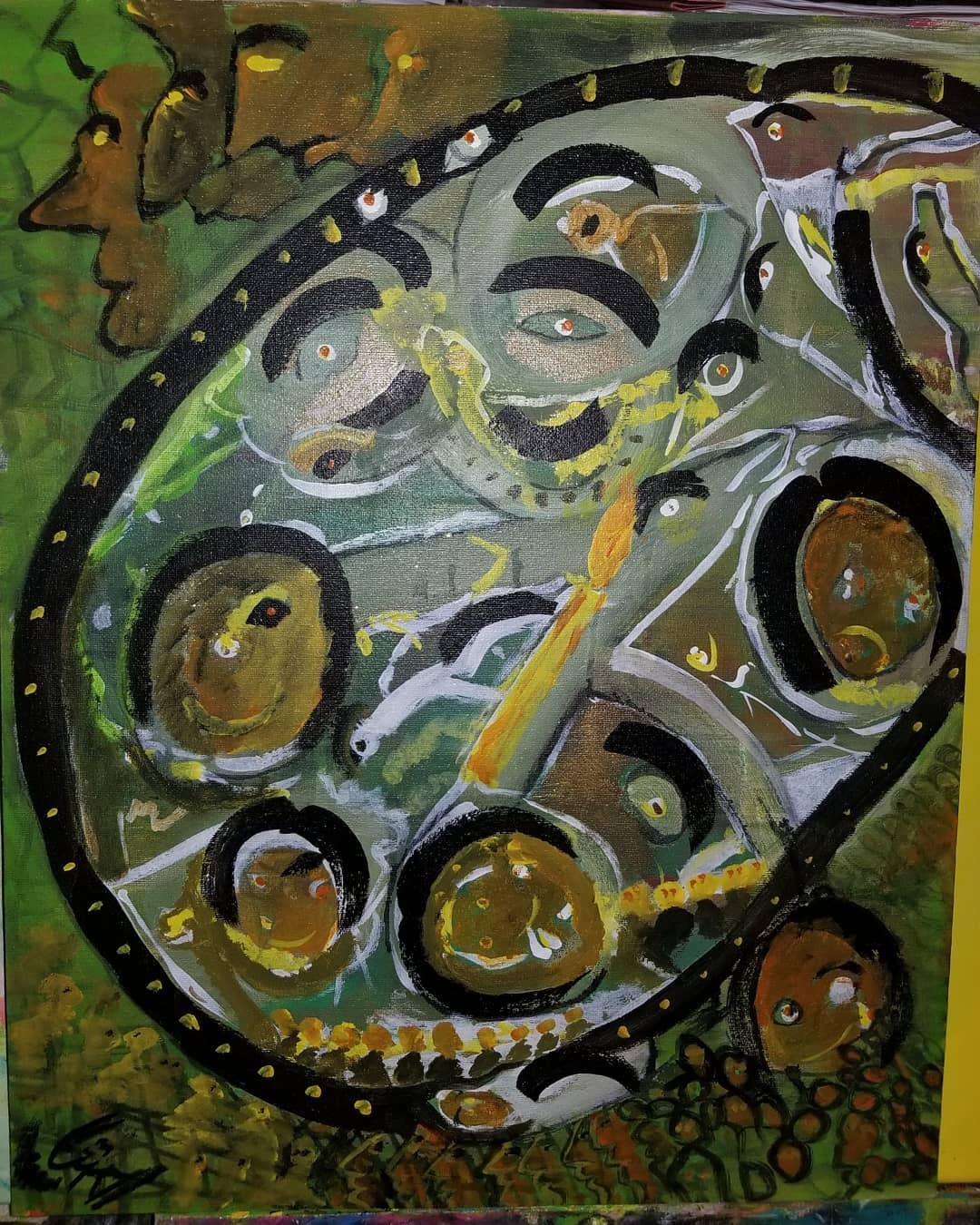
Artificial intelligence is reshaping how artists approach abstract creation. Rather than replacing human creativity, the most thoughtful AI implementations serve as collaborative partners that can translate emotional concepts and abstract ideas into visual starting points or finished compositions.
These tools excel at generating unexpected combinations, exploring colour relationships, and producing variations on themes that would take hours to develop manually. For abstract artists, AI can break through creative blocks by offering directions the human mind might not consider.
How AI Complements Traditional Digital Tools
The most effective workflow combines AI generation with traditional digital refinement. An artist might use AI to explore compositional possibilities based on an emotional prompt, then import the results into Procreate or Krita for detailed development and personal expression.
This hybrid approach maintains the irreplaceable human element, the intention, emotion, and artistic vision, while leveraging AI's ability to rapidly explore visual possibilities.
Jamal Abstracts AI Art Tool
Among the emerging AI-powered options, Jamal Abstracts offers a distinctive approach tailored specifically for abstract art creation. Unlike general-purpose AI image generators, this Ottawa-based platform focuses on emotional resonance and intuitive creation.
The tool allows users to describe feelings, memories, or abstract concepts and receive compositions that translate these intangible inputs into visual form. The results maintain the soulful, expressive quality that defines meaningful abstract art rather than producing generic AI imagery.
What sets this approach apart is the integration with a genuine artist's practice. The AI tool exists alongside a curated gallery of original abstract paintings and daily creative sketches, creating a holistic creative environment rather than a purely algorithmic experience.
Pro tip: When using AI tools for abstract art, focus your prompts on emotions and sensations rather than specific visual elements. "Restless anticipation with warm undertones" will likely produce more interesting results than "red swirls on blue background."
Digital Painting Tools Comparison
This comprehensive comparison helps you evaluate each tool based on factors most relevant to abstract art creation:
| Tool | Best For | Platform | Pricing | Learning Curve |
|---|---|---|---|---|
| Procreate | iPad-based spontaneous creation | iPad only | CAD $16.99 (one-time) | Low |
| Adobe Fresco | Professional workflow integration | iPad, Windows | Free tier / CC subscription | Medium |
| Krita | Budget-conscious professionals | Windows, Mac, Linux | Free | Medium-High |
| Rebelle 7 | Natural media simulation | Windows, Mac | USD $89.99 (one-time) | Medium |
| Jamal Abstracts AI | Emotion-driven generation | Web-based | Varies | Very Low |
Feature Comparison
| Feature | Procreate | Adobe Fresco | Krita | Rebelle 7 |
|---|---|---|---|---|
| Brush Customization | Excellent | Good | Outstanding | Good |
| Natural Media Simulation | Good | Excellent | Good | Outstanding |
| Layer Support | Limited by canvas | Extensive | Unlimited | Good |
| Colour Management | Basic | Professional | Advanced | Good |
| Export Options | Good | Excellent | Excellent | Good |
| Community Resources | Outstanding | Good | Excellent | Growing |
Choosing the Right Tool for Your Abstract Art Practice
Selecting the ideal digital painting tool depends on your specific needs, budget, existing hardware, and artistic style. Here are some guiding principles:
Choose Procreate if: You already own an iPad with Apple Pencil, value portability, prefer gesture-based interfaces, and want to avoid subscription costs. It excels for artists who create spontaneously and value a streamlined workflow.
Choose Adobe Fresco if: You work professionally and need seamless integration with industry-standard tools. The Live Brushes technology makes it particularly valuable for abstract artists exploring organic, flowing styles.
Choose Krita if: You want professional features without any financial barrier, prefer working on desktop systems, or need the most customizable brush engine available. Its open-source nature ensures you will never face surprise subscription fees or discontinued support.
Choose Rebelle 7 if: Traditional media behaviour is essential to your abstract style. Artists transitioning from physical painting or those who value organic, unpredictable results will find Rebelle's simulation capabilities unmatched.
Explore AI tools if: You want to push creative boundaries, overcome blocks, or explore compositional possibilities quickly. These tools work best as complements to traditional digital painting software rather than replacements.
Many successful abstract artists use multiple tools, choosing each based on the specific project or creative mood. The low barrier to trying most of these options, whether through free trials, free software, or reasonable one-time purchases, makes experimentation practical.
Explore Abstract Art at Jamal Abstracts
Discover original abstract paintings that bridge emotion and intuition. From bold canvases to daily creative sketches, experience art that speaks to the soul.
Visit Jamal Abstracts to explore the collection and try the AI-powered art creation tool.
Frequently Asked Questions
What is the best digital painting tool for beginner abstract artists?
Procreate offers the most accessible entry point for beginners with its intuitive interface and extensive tutorial community. However, Krita provides a cost-free alternative with equally capable features for those without iPads. Both tools allow new artists to experiment without financial commitment while learning fundamental digital painting techniques.
Can free software like Krita produce professional-quality abstract art?
Absolutely. Krita's brush engine and feature set rival or exceed many commercial options. Professional quality depends far more on artistic skill and vision than software cost. Many successful digital artists use Krita as their primary tool for commercial work, gallery pieces, and commissioned projects.
How do I transition from traditional abstract painting to digital?
Start with software that simulates traditional media behaviour, such as Rebelle 7 or Adobe Fresco's Live Brushes. These tools help bridge the gap by responding similarly to physical paint. Additionally, invest in a quality drawing tablet or iPad with stylus for natural pressure sensitivity that mirrors brush handling.
Will AI art tools replace human abstract artists?
AI tools are best understood as new instruments in the artist's toolkit rather than replacements for human creativity. While AI can generate compelling images, the intention, emotional depth, and personal expression that define meaningful abstract art remain uniquely human contributions. The most effective approach combines AI capabilities with human artistic vision.
What hardware do I need for digital abstract art?
Minimum requirements depend on your chosen software. For Procreate, any iPad supporting Apple Pencil works, though newer models handle larger canvases better. Desktop software like Krita and Rebelle performs well on mid-range computers with dedicated graphics cards. A drawing tablet with pressure sensitivity is essential for any desktop setup.
How do I ensure my digital abstract art prints well?
Work at high resolutions from the start, typically 300 DPI at your intended print size. Use software with proper colour management, like Adobe Fresco or Krita, to convert to CMYK for print. Always request proofs before final production and consider working with professional print services experienced in fine art reproduction.
Final Thoughts
The digital painting tools available in 2026 offer abstract artists unprecedented creative possibilities. Whether you prioritize portability, natural media simulation, professional integration, or budget-friendly access, excellent options exist for every need.
The key is matching your tools to your artistic goals and workflow preferences. Many artists find that trying multiple options, even if they eventually settle on a primary tool, broadens their understanding of digital possibilities and influences their creative approach.
As you explore these tools, remember that technology serves creativity, not the reverse. The most sophisticated software cannot replace artistic vision, but the right tools can help you express that vision more fully and efficiently than ever before.